Does an ATS Reject Your Resume Before a Human Sees It?
Learn what applicant tracking systems do, when automatic rejection can happen, and how to keep your resume readable without tricks.
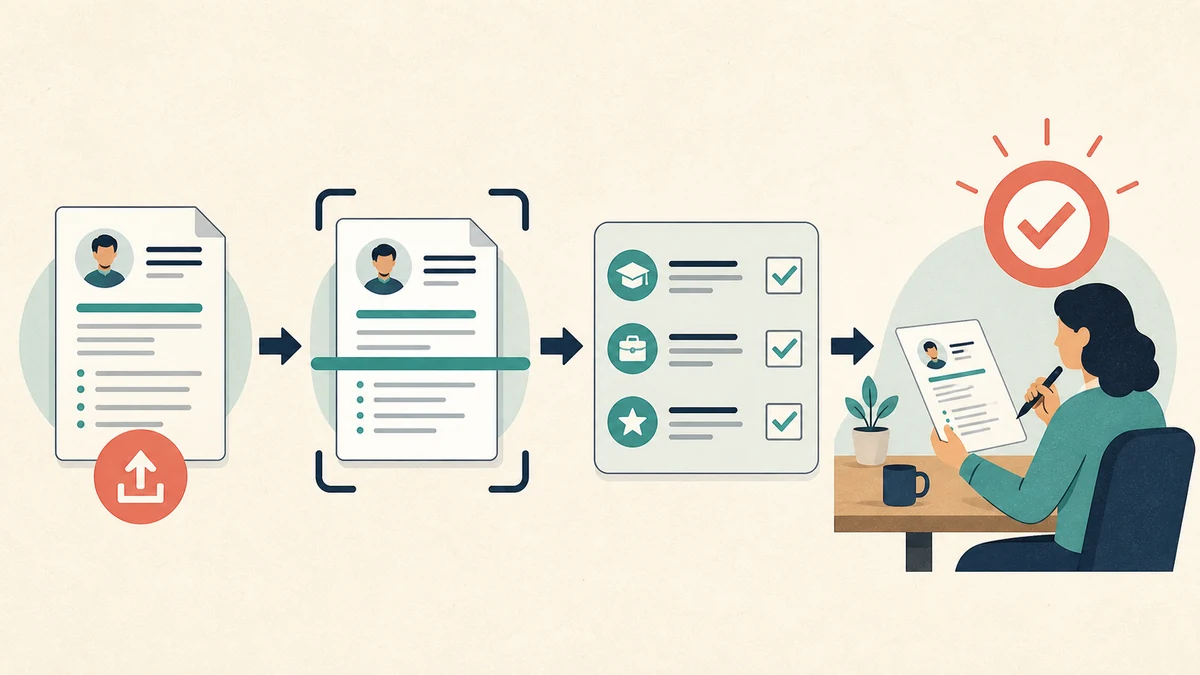
An applicant tracking system can reject your application before a person reads your resume. That can happen when an employer sets an automatic rule, such as a knockout question about a required licence or permission to work.
It does not happen in one standard way. “ATS” describes many products and many employer setups. Some systems store and organise applications. Some parse resumes into fields. Some help recruiters search or sort. Newer products may assign a match score. The employer chooses which features and rules to use.
This is why claims such as “75% of resumes are rejected by ATS” are not useful as a rule for your own application. No single percentage can describe every employer, job, system, and configuration.
You can still make sensible choices that help both the software and the person who may read your resume.
What an ATS does
An applicant tracking system is the software an employer uses to collect and manage job applications.
Depending on the product and the employer's settings, it may:
- save your resume and application answers;
- copy details such as your name, email, employers, and job titles into separate fields;
- let recruiters search, filter, or sort the applicant list;
- apply rules to answers on the application form;
- compare your resume with criteria chosen for the job;
- record notes, interview stages, and the final outcome.
These are separate actions. A resume can parse poorly and remain attached for a recruiter to open. A resume can parse well and still receive no response. A perfect upload does not prove that a person read it.
Three ways an application may be screened
1. A knockout question
An application form might ask:
Do you hold the licence required for this role?
The employer can set “No” as an automatic disqualification. Workable documents this feature, including the fact that the employer chooses the question and rule. Greenhouse also lets employers create auto-reject rules based on answers to application questions.
The system applies the rule to the answer you give. The rule uses your form answer rather than the writing style of your resume.
Read each question before answering. Check that your application answer agrees with your resume. If a question is unclear, do not guess at what the employer wants to hear.
2. A recruiter searches or filters the applicant list
A recruiter may filter by location, a required credential, a job title, or a skill. They may also search the text stored from resumes.
Use the normal name of a skill or qualification when you have it. If the advertisement says “accounts payable” and you did accounts-payable work, use that phrase in the bullet that explains what you did. Do not add a list of terms you cannot support.
Searches and filters depend on the employer's choices. You cannot know the exact query from outside the company.
3. An AI-assisted match or score
Some hiring products now compare applications with criteria set by the employer.
Greenhouse Talent Matching compares resumes with criteria that a hiring team selects and weights. Greenhouse says the feature places candidates into match categories but does not automatically advance or reject them.
Indeed's Smart Fit Score gives an application a score from 0 to 100 based on employer-selected requirements and information supplied by the applicant. Indeed describes the score as a screening aid rather than a final decision.
Other products allow more automation. Workable, for example, lets an employer enable actions that disqualify candidates who fail criteria marked as disqualifiers.
The same word, “ATS,” can therefore refer to a database, an employer-written rule, or an AI-assisted sorting tool. Advice that treats all three as one secret robot will mislead you.
Parsing is not the same as rejection
Resume parsing copies information from your document into fields inside the hiring system. A parser might identify:
- your name and contact details;
- job titles and employers;
- employment dates;
- education;
- skills or qualifications.
Parsing can make your information easier to search. It can also make mistakes.
Greenhouse lists several causes of an unsuccessful parse, including image-only resumes, complex tables, columns, graphics, and contact details placed in headers or footers. Its guidance says staff may need to enter the details by hand when parsing fails. That is a useful warning, but it does not prove that every other ATS rejects every two-column resume.
The practical goal is a document that both a parser and a person can read without extra work.
A safe resume format
Use the employer's instructions first. If the application asks for a Word document, send a Word document. If it asks for a PDF, send a PDF.
When no special format is required, use this setup:
- one clear column;
- normal headings such as Experience, Education, Skills, and Projects;
- your name, email, phone number, and location in the main page area;
- no photo or decorative graphics unless the employer or local convention calls for them;
- ordinary fonts and visible text;
- dates written in a consistent format;
- a real PDF or DOCX file, not a photograph of a page.
Greenhouse accepts DOC, DOCX, PDF, RTF, and TXT files for candidate documents. Workable accepts several common document formats too. File rules vary, so check the upload page before submitting.
You can test a PDF in under a minute:
- Open the saved file.
- Select a sentence and copy it.
- Paste it into a plain-text editor.
- Check that the words appear in the right order.
- Confirm that your contact details and section headings are present.
This test will not reproduce every ATS parser. It will catch an image-only PDF and some broken exports before you send them.
Use job language without stuffing keywords
The job description tells you how the employer describes the work. Use the same language when it fits your real experience.
Suppose the advertisement asks for inventory control. Your resume says:
Looked after stock and ordered supplies.
If you owned the inventory records and reorder process, a clearer version could be:
Maintained inventory records for 600 items and placed weekly supplier orders when stock reached the agreed reorder level.
The phrase “inventory records” now appears beside evidence. A recruiter can understand the scale and ask you about the process.
Avoid:
- copying the job description into your resume;
- repeating the same skill in several sections;
- adding software you have not used;
- hiding keywords in white or tiny text;
- changing your job title to match the advertisement;
- asking AI to invent numbers or achievements.
The resume-tailoring guide has a 20-minute method for mapping each important requirement to evidence you already have.
Screening questions deserve the same care as the resume
Candidates often spend an hour editing a resume and rush through the form.
Application answers may control an automatic rule. They also become part of the record a recruiter reviews. Read them as carefully as the job description.
Before submitting, check:
- work location and availability;
- permission to work, where the employer may lawfully ask;
- required licences or qualifications;
- dates and years of experience;
- salary or schedule questions;
- links to a portfolio or professional profile.
Answer truthfully. A contradiction between the form and resume creates a problem that no keyword can repair.
Can you tell whether a human read your resume?
Often, you cannot.
An automatic confirmation only proves that the system received the application. A quick rejection could come from a knockout rule, a recruiter, a closed vacancy, or another workflow. Silence does not reveal which step failed.
Some platforms show application status updates. Those updates still may not explain how much attention your resume received or who made the decision.
Use the information you can control:
- follow the stated instructions;
- apply for roles where you meet the important requirements;
- make relevant evidence easy to find;
- keep the document readable;
- answer every form question with care;
- keep a copy of the job description and submitted resume.
Do not rebuild your entire resume around a guess about one rejection.
A two-minute ATS check before you apply
Copy this list:
Application instructions followed
Correct file type
File opens without an error or password
Text can be selected and copied
Name and contact details appear in the main page area
Standard section headings used
Dates and job titles are consistent
Important job terms appear beside truthful evidence
No hidden text or unsupported skills
Screening answers agree with the resume
Correct employer and role named
Clean filename used
For the filename, First-Last-Resume.pdf works when the employer gives no other instruction. The resume filename guide explains how to keep private draft names separate from the file you submit.
The useful answer
An ATS may store your application, parse it, filter it, score it, or apply an employer-written rejection rule. The exact setup changes by company and job.
You cannot optimise for a hidden universal system because no such system exists. You can submit a readable document, use accurate job language, complete the form with care, and show specific evidence for the work the employer needs.
Hiring teams face the same uncertainty from the other side. Resume Ranker can organise a folder of resumes against written job criteria and show the evidence behind each review. A person still needs to check that evidence and decide what happens next.
AI-assisted research and drafting, grounded in the cited sources. Hiring decisions should remain human-reviewed.
Have a pile of resumes waiting?
Upload the PDFs, paste the job description and your rubric, then use the ranked reviews as a starting point—not an automatic hiring decision.
Rank resumes with Resume Ranker